Me@Campus Inbox
Role:
Staff Designer
Platform:
Mobile/Web
Year:
2023
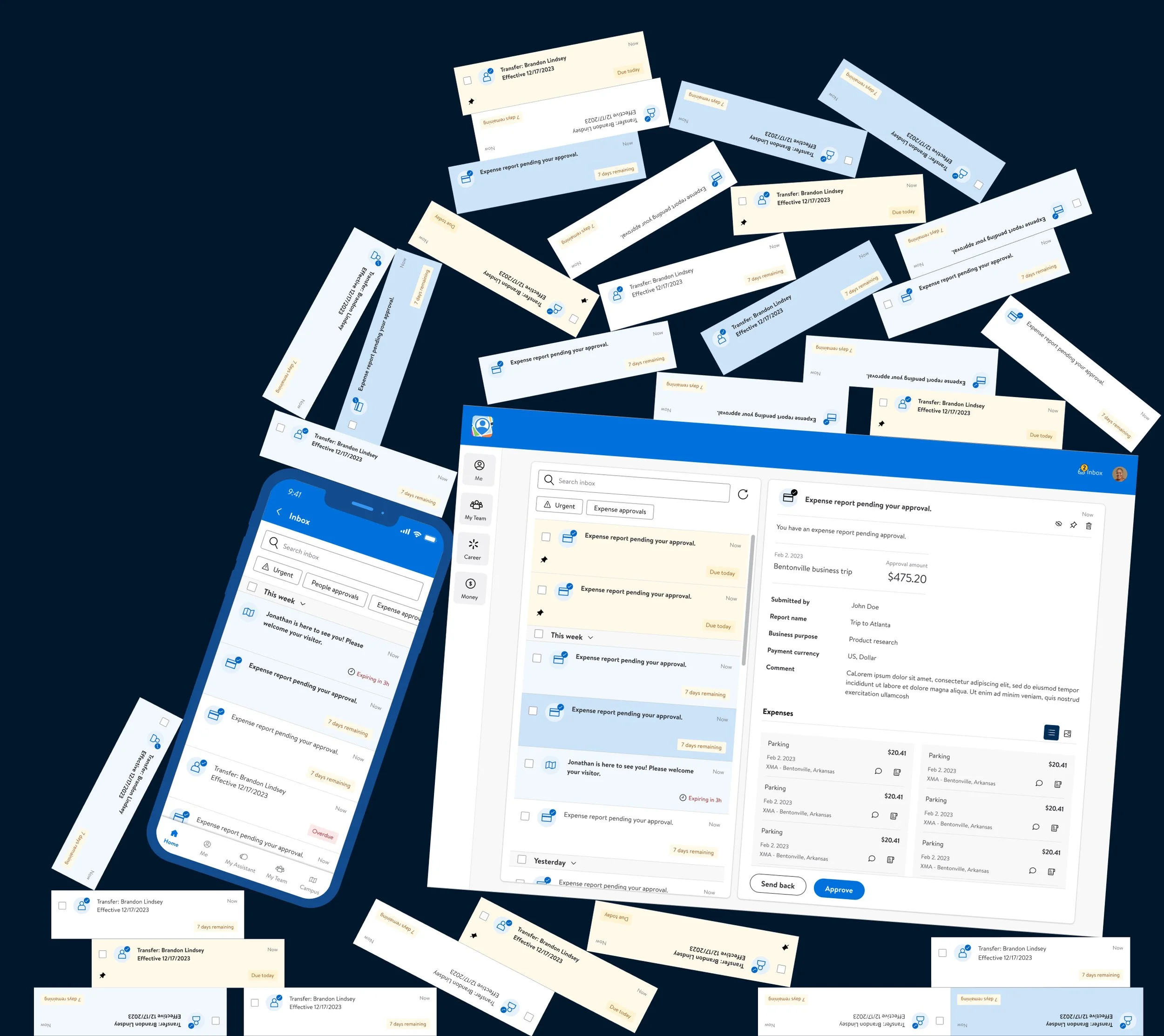
Walmart corporate associates were on track to receive up to 50 inbox items per day, sourced from five different integrations (Workday, SAP Concur, GTA, Campus, Preboarding) plus internal Me@Campus mini-apps. Every team wanted to be in the Inbox. None of them coordinated.
The default outcome was nudge fatigue: the more the system tried to surface, the less anyone would read. The job wasn't to design a notification feature. It was to design a contract between many publishers (mini-app teams) and one consumer (the associate), with a filter sitting between them that decided what got through.
I led the design of that system end-to-end: the taxonomy that classified notifications by intent, the front-end customization layer that gave associates control, the template that let mini-app teams integrate, and the system actions that let users manage the inbox without leaving it.
01 • FRAMING
This wasn't a notification problem. It was an attention budget problem.
The brief read like a feature request: "design the inbox." I treated it as an attention budget problem.
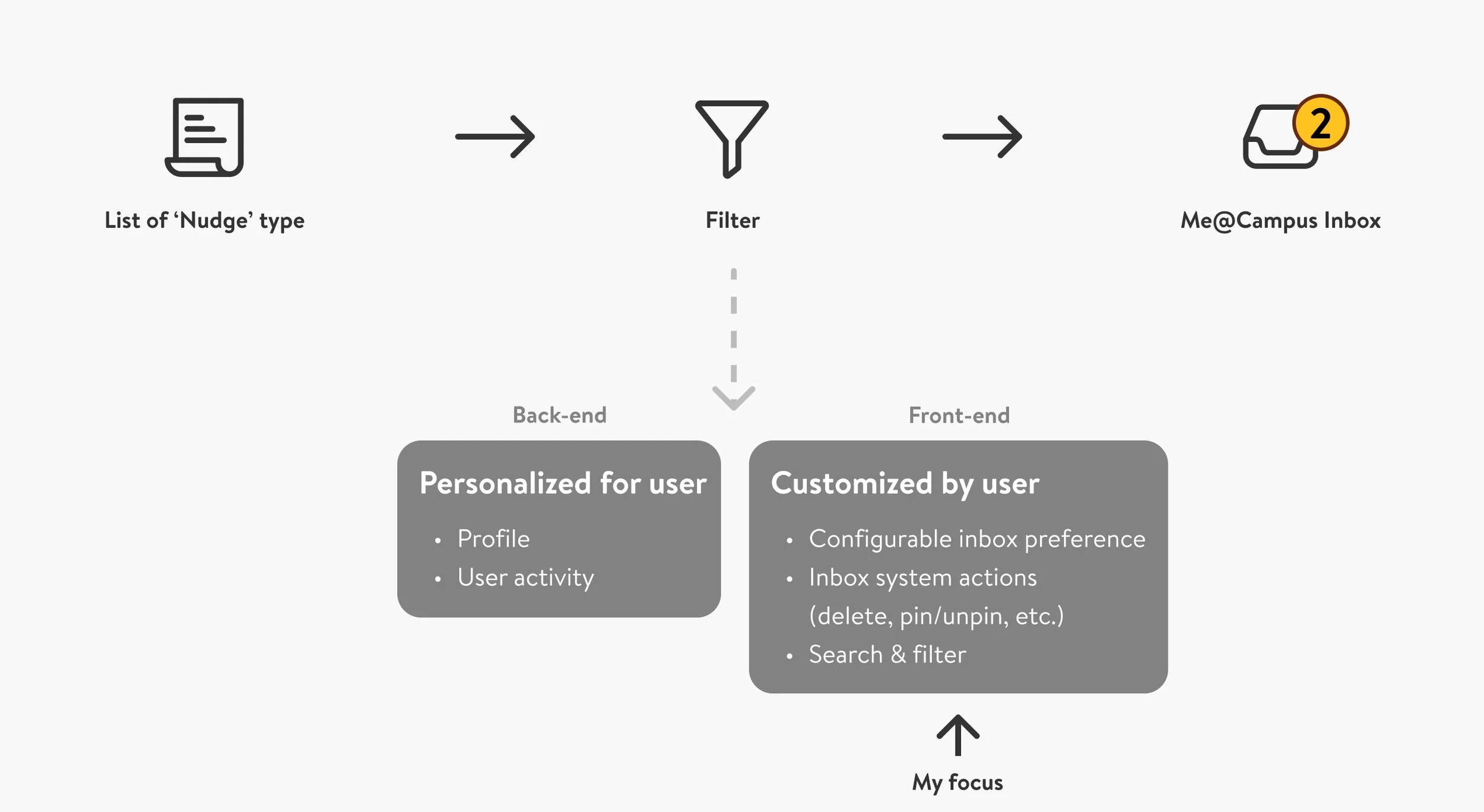
If associates can read 50 items a day at most, and the system can produce far more than that, the design question isn't what to show but what to filter, by whose authority, with what defaults. That reframe split the work into two layers:
Personalized for the user (back-end). The system uses profile and activity to decide what's relevant. I didn't own this layer. I named it explicitly so the scope of my work was legible to engineering and product.
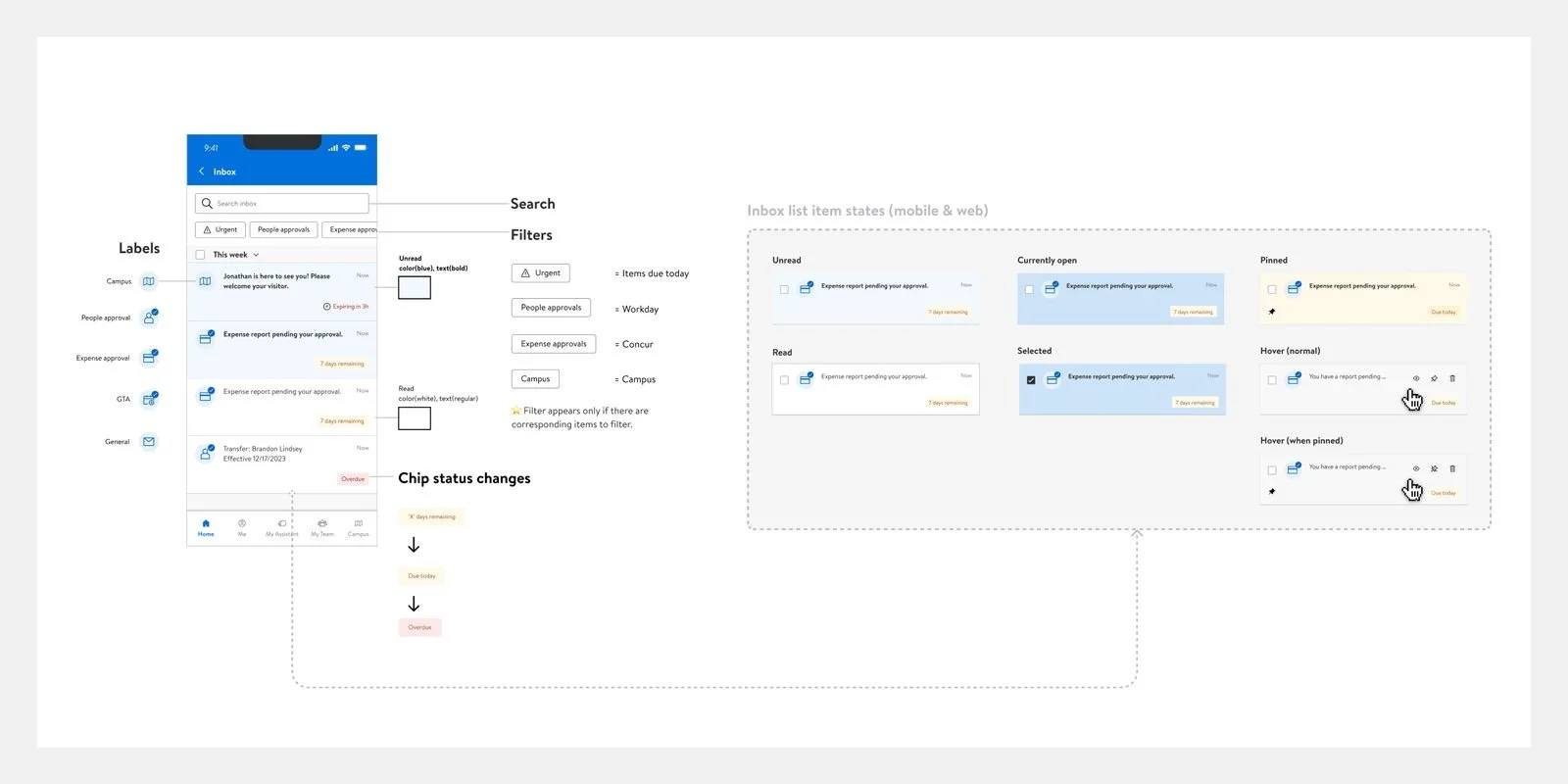
Customized by the user (front-end). Configurable inbox preferences, system actions (pin, unpin, mark read, delete), search and filter. This was my surface. The work was designing affordances that gave users control without asking them to manage the filter themselves.
Naming the back-end as out of scope was itself a design decision. It clarified what the design system could and couldn't promise.
02 • STRATEGIC DECISION
Four calls that shaped the inbox.
Taxonomy over inventory. Rather than treating every notification as a unique snowflake, I categorized them into nine types: Emergency, Platform, Periodic, Task-based, One-off, Role-related, Time-sensitive, Triggered, and Awareness. Mini-app teams classify their notifications into the taxonomy; the system treats each category differently. Trade-off: the categories are coarse and some notifications don't fit cleanly. Gain: nine categories of behavior is something the design system can support; an unbounded notification ontology isn't. Principle: define the categories before designing the components.
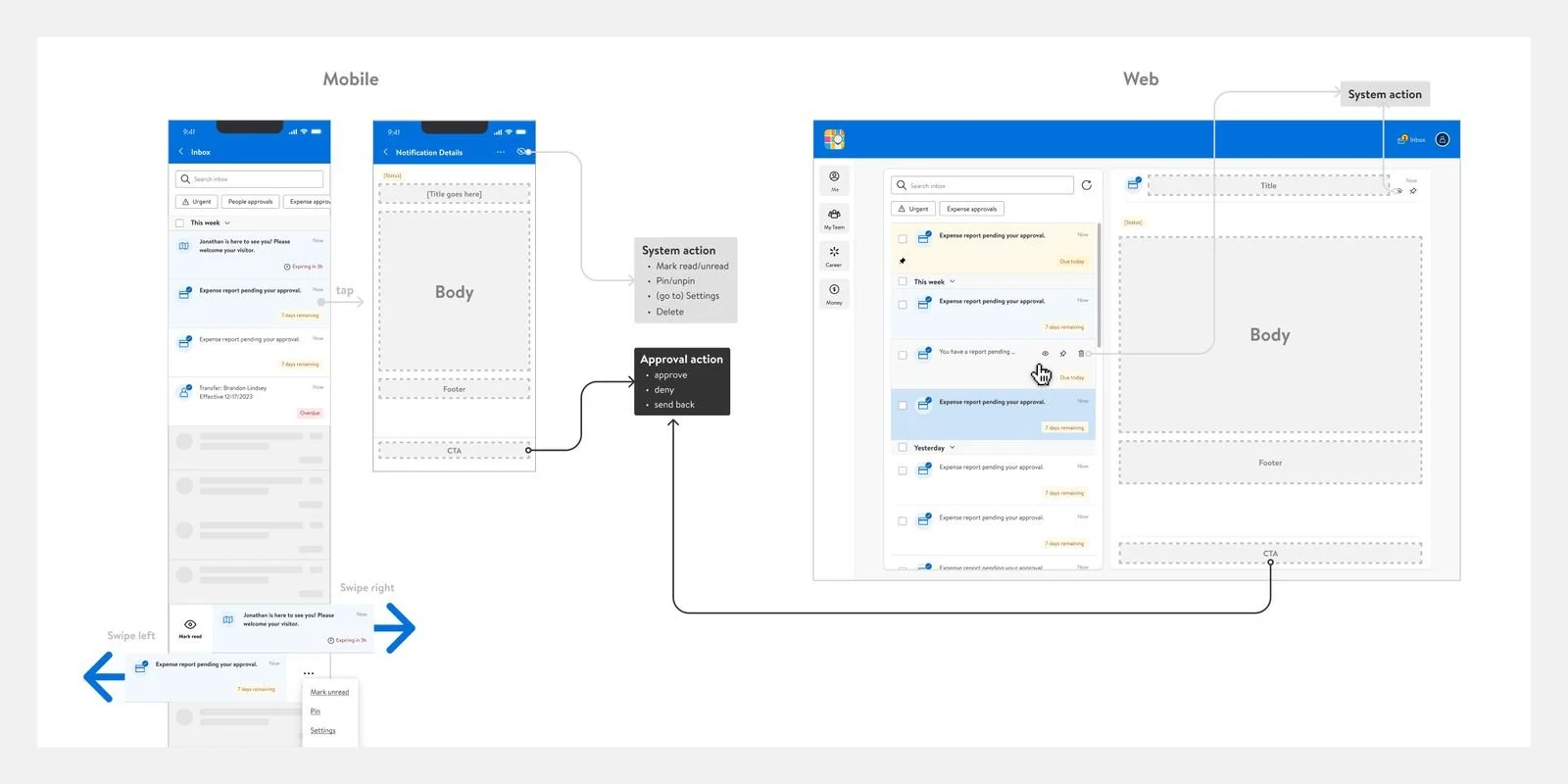
Template as a contract. Rather than letting every mini-app design its own inbox detail page, I built a single template (Title, Body, Footer, CTA) that all integrations use. Workday, Concur, GTA, Campus, and Preboarding all plug into the same shape. Trade-off: less per-integration optimization; some detail patterns get compromised. Gain: one inbox detail experience instead of five. The associate sees the same shape regardless of which mini-app surfaced the item. Principle: when integrating many products, design the seam, not the destination.
System actions are separate from source actions. Pin, unpin, mark read, delete, and settings live on the inbox. Approve, deny, send back live on the source mini-app surface. Both are reachable from the same item; they aren't conflated in the same affordance. Trade-off: slightly more UI elements per item; users learn two patterns. Gain: the inbox's interface stays consistent across all integrations, and source apps keep their own decision affordances. Principle: the container's interface and the contents' interface are different problems.
Defer settings complexity until needed. The current preference page handles four notification types with flat toggles. The future-state design I shipped supports a nested structure for scaling beyond ten types. Trade-off: the architecture is heavier than what the current four types need. Gain: the next ten types of nudge don't trigger a settings redesign. Principle: design the version of the surface that the system will become, not the one it currently is.
03 • THE NUDGE TAXONOMY
Nine types of attention.
The most distinctive artifact in this project isn't the visual design. It's the nine-type nudge taxonomy that classifies every notification by intent.
The taxonomy was the precondition for everything else. Without it, every notification looked equally urgent and the system had no basis for differentiating treatment. With it, we could decide that Emergency nudges break through filters, Awareness nudges defer to user preference, and Time-sensitive nudges escalate visually as the deadline approaches.
- EOC
- App system failure
- Wifi connection issue
- Benefit changes and updates
- Recommended learnings
- Walmart news
- Associate profile checkup
- Update emergency contact
- Course deadline
- Benefit enrollment
- Register for events
- Get licenses
- Direct deposit
- Recognize team members
- Business: Walmart stock price
- Store: Security training
- Managers: IDP, team performance
- HR: Recruitment updates
- Workday, Concur, GTA approvals
- Course deadline
- Benefit enrollment
- Change Walmart password
- Update computer system
- Onboarding
- Promotion
- Job transfer
- Relocation
- Marriage
- Food ordering, room reservations
- WIN number
- Hire date
- HR Partner
- Tech support resources
04 • CROSS-FUNCTIONAL LEADERSHIP
Five publishers, one inbox, one designer.
Designed the nine-type nudge taxonomy that classified every notification flowing into the Inbox
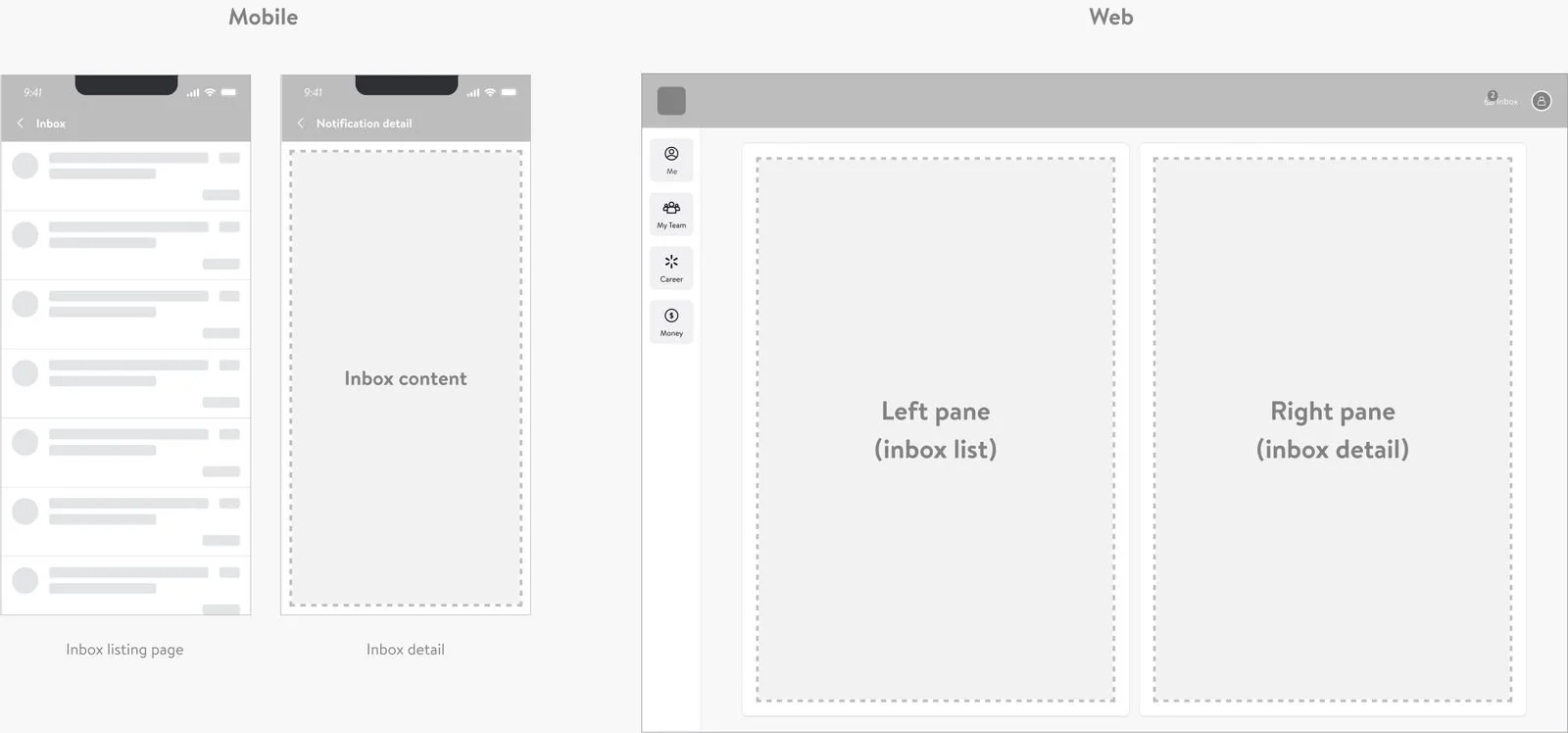
Built the Inbox structure for both mobile (linear navigation) and web (left/right pane), reusing the Me@Campus subsystem patterns
Designed the inbox detail template that five integrations (Workday, Concur, GTA, Campus, Preboarding) ship against
Designed the system action set (pin, unpin, mark read, delete) and the configurable preferences architecture for current and future scale
Partnered with engineering on the back-end filter logic to define the contract between back-end personalization and front-end customization
05 • OUTCOMES
The system at scale.
Notification volume mediated: up to 50 inbox items per day per associate, surfaced through a filtered, prioritized inbox
Integration partners: five external systems (Workday, SAP Concur, GTA, Campus, Preboarding) plus internal Me@Campus mini-apps
06 • REFLECTIONS
PROCESS APPENDIX
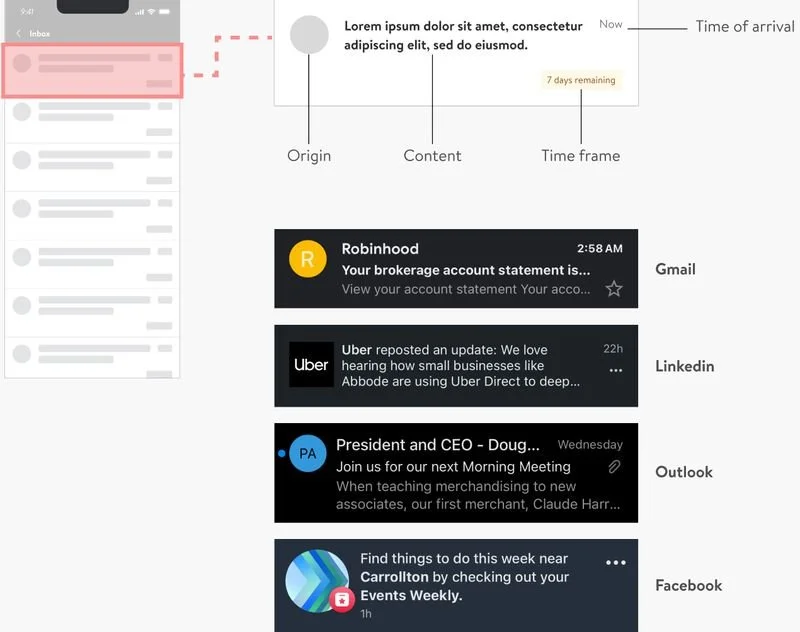
Early structural exploration evaluated competitive inbox patterns across Gmail, LinkedIn, Outlook, and Facebook to identify standard list components (Origin, Content, Time frame, Time of arrival) and inbox system actions (mark read/unread, pin, snooze, delete, move). The Me@Campus inbox adopts these proven patterns as a starting point.
Structure decisions:
Mobile: linear navigation. Inbox listing page → inbox detail. Optimized for one-handed use and simplicity.
Web: left pane (inbox list) / right pane (inbox detail). Maximizes screen real estate; matches associate expectations from desktop email clients.
Flow: Home → Inbox page → Validation → Confirmation. Take-action handoff happens at the inbox-to-validation step, where the inbox passes control to the source mini-app.